> For the complete documentation index, see [llms.txt](https://docs.wproofreader.com/llms.txt). Markdown versions of documentation pages are available by appending `.md` to page URLs; this page is available as [Markdown](https://docs.wproofreader.com/v6.18.1/admin-panel/self-hosted/products.md).
# Products
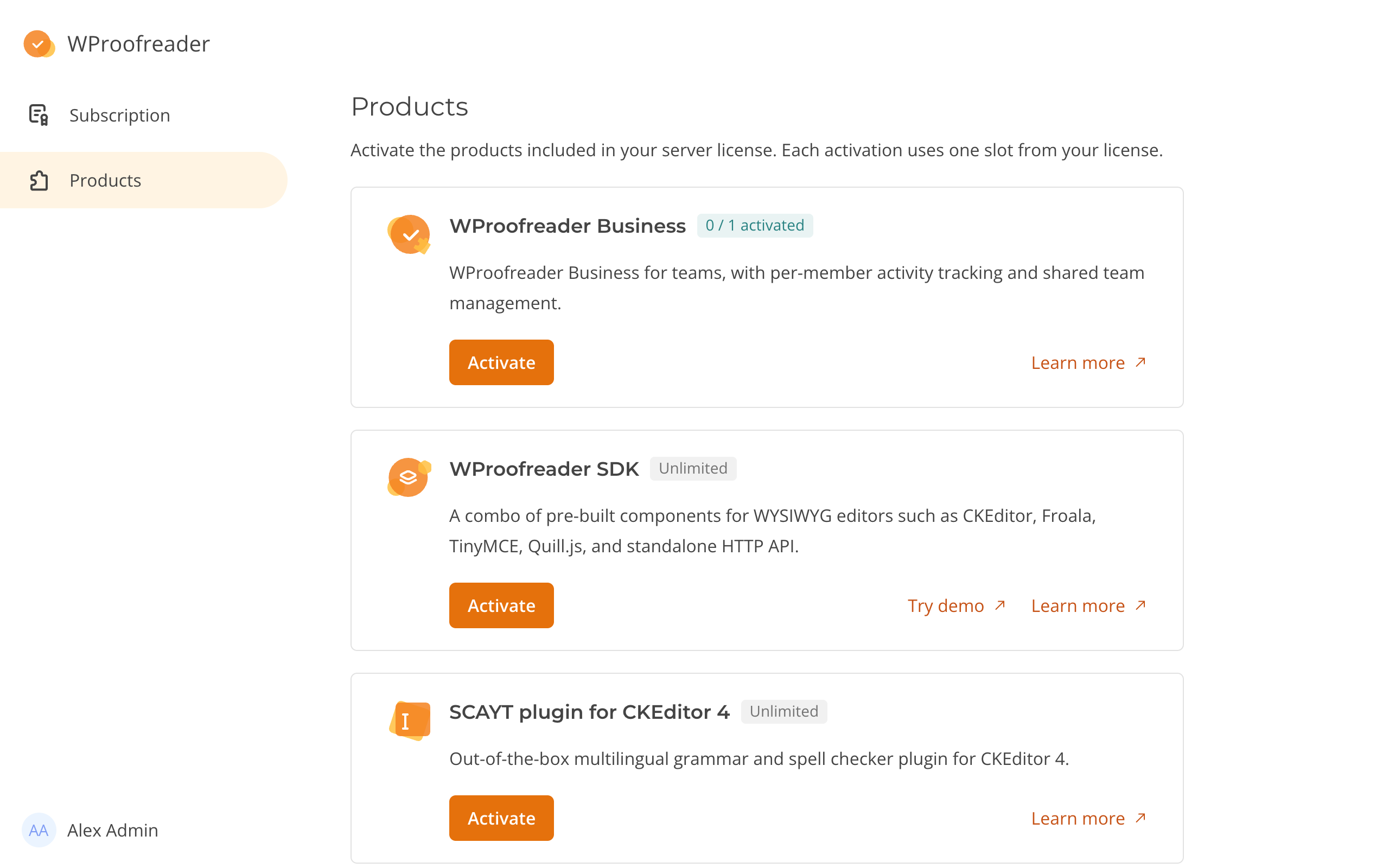
Use **Products** to activate products included in your server license. Only the owner of the selected team can open this page and activate products.
The self-hosted admin panel offers **WProofreader SDK**, **SCAYT plugin for CKEditor 4** and **WProofreader Business**. Your license determines which cards appear.
### Product limits
Each card shows an activation allowance:
* **1 / 1 activated**: the used activations and the limit.
* **Unlimited** means no activation limit applies to that product.
SDK and SCAYT can have multiple activations. Each activation creates a separate team and uses one activation from your allowance.
WProofreader Business allows one activation for your organization. Its member limit is separate from its activation limit.
If no products are available, the page shows "Your current license does not include any activatable products. Contact WebSpellChecker to extend your license."
**Activate** is unavailable when the license is inactive, the activation limit is reached, or a request is running.
### Activating a product
1. On **Products**, find the product card.
2. Click **Activate**.
The admin panel shows "The product has been activated successfully." It selects the new team and opens **Subscription**.
Each team is named after its product, for example WProofreader SDK or WProofreader Business. SCAYT teams are named SCAYT. Further activations add a number, such as WProofreader SDK 2.
For SDK and SCAYT, the activation creates a Service ID. To connect your product:
1. Copy the Service ID on [Credentials](/v6.18.1/admin-panel/credentials.md).
2. Add the Service ID and your WProofreader Server address to your product configuration.
For WProofreader connection options, see [Service connection](/v6.18.1/integrations/initialization/configuration-options/service-connection.md). For SCAYT, set `scayt_customerId` to the Service ID. For the other SCAYT connection options, see [SCAYT parameters for CKEditor 4](/v6.18.1/integrations/legacy-scayt/scayt-parameters-for-ckeditor-4.md).
WProofreader Business teams have no **Credentials** page.
Use the [team selector](/v6.18.1/admin-panel/self-hosted.md#navigating-the-admin-panel) to return to another team. Each activation has its own members and settings.
You cannot deactivate a product in the admin panel.
### Activation errors
| Message | What to do |
| ---------------------------------------------------------------------- | ------------------------------------------------------------------------------------------------------------------------------------------------------- |
| "Products cannot be activated while the server license is not active." | Check [Subscription](/v6.18.1/admin-panel/self-hosted/subscription.md). |
| "This product is not included in your current license." | Contact WebSpellChecker to extend your license. |
| "Your license does not allow any more \ activations." | The activation allowance is used. Contact WebSpellChecker to extend your license. |
| "An activation for this product is already in progress." | Wait a few minutes and check **Products** again. If the activation does not complete, ask your server administrator to contact WebSpellChecker support. |
| "The product could not be activated. Please try again." | Try again. If it fails again, ask your server administrator to check WProofreader Server. |
\ is the product named in the message.